
 Written by
 Drumroll, please…! For our next upgrade change reveal, we’re unveiling a brand-new subscreen called Update Transaction Dates, which you’ll be able to access when printing checks and exporting XEFTs in version 6.1.0.
Let’s say you have a group of checks waiting to be printed, but annoyingly, they’re all using different dates. One from last Friday, a handful from Monday, a stray from Tuesday… Instead of going back to each transaction individually and editing the date in the Transaction Detail screen, wouldn’t it be nice if you could update them all to today’s date with the click of a button?
Enter: the Update Dates button! At the top of the Print Checks screen, you can click this new button to open a screen where you can update the dates of checks waiting to be printed, either one at a time or all at once.
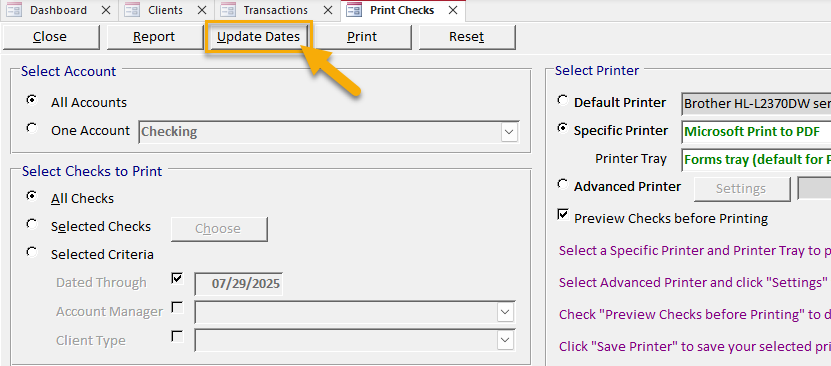
Click the Update Dates button on the Print Checks screen.
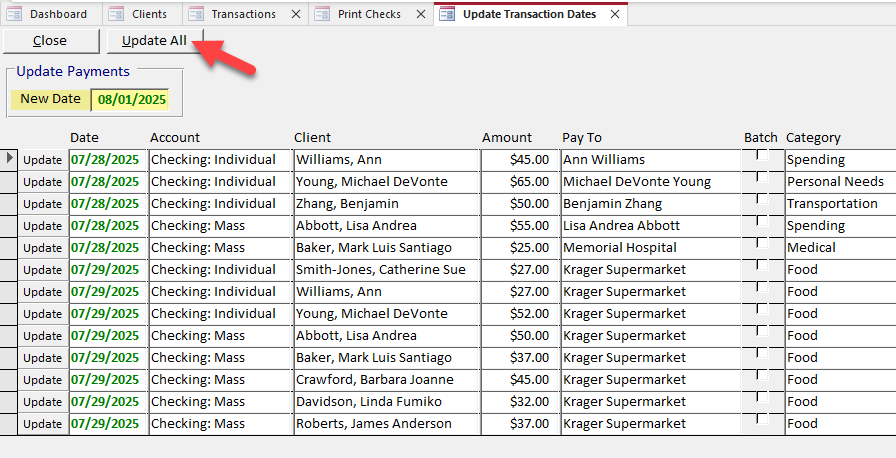
Select a New Date, which can be a current or future date.
Click Update All to update all the listed checks to that date.
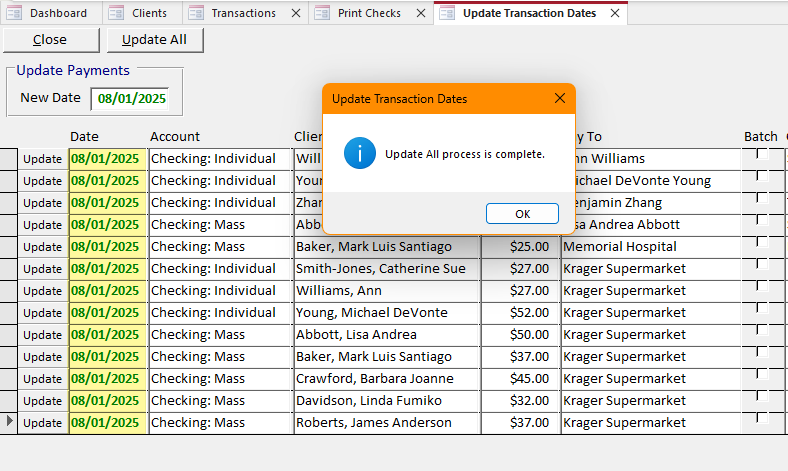
Viola! All those checks will now be printed with the new date.
In addition to updating dates for checks, you’ll also be able to do this on the Export XEFT Transactions screen for XEFT payments. Whether your bank requires the same date throughout your export file or you’d just prefer them to all be consistent, this new functionality will make it quick and easy to change all the transaction dates before exporting them to a file.
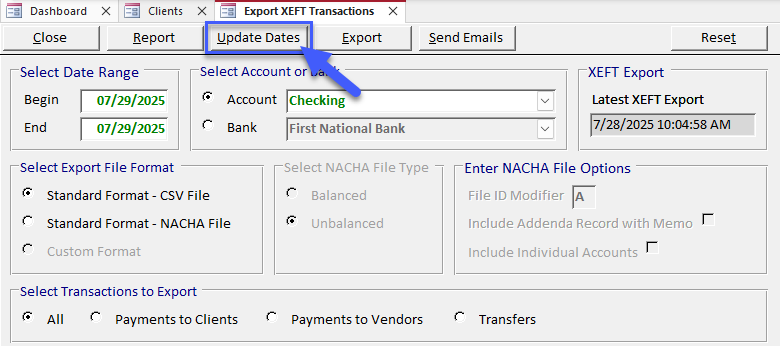
Are you excited to try this out? Let me know in the comments below!
I am excited because I love the fact that I can see the totals from the deposits and payments at the bottom of the screen and it automatically calculates it as well. I am also excited about being able to change all the dates at once instead of one at a time. Thank you for consistently upgrading and making the system work more efficiently.
YAAAAAAAYYYY!!!! WOOO HOO! DOING CARTWHEELS HERE IN CENTRAL PA!!!! THANK YOU MARIA AND TO ALL AT RPMCCS!!!